

Good clinic website design helps a patient answer four questions in under a minute: what do you treat, are you close, will you take my insurance, and how do I book? Everything else, from color palettes to hero photos, supports those answers. This guide covers the pages to build, the trust signals that matter, the mobile and accessibility basics, how the site connects to local search, and what a medical website costs in the United States.
We build WordPress sites for local service businesses and clinics in Southwest Florida, so the examples lean toward practices in Sarasota, Port Charlotte, Fort Myers and nearby. The principles apply to any practice.
Key Takeaways
- A clinic site has one job: move a patient to the next step, whether that is a call, a booking or a form. Design every page around that step.
- Trust comes from plain language, real provider profiles, clear contact details and content that looks recently reviewed, not from decoration alone.
- Mobile layout, readable contrast and labeled buttons are part of the design, not extras. Accessibility is also a legal topic for healthcare providers.
- Your website and your Google Business Profile have to say the same thing about your name, address, phone and services.
- Professionally built medical sites commonly start around $1,500 to $2,000, and complex builds run past $10,000.
Table of Contents
- What a clinic website is actually for
- The pages every clinic site needs
- Design choices that build trust
- Mobile, speed and accessibility
- Connecting your website to local search
- A simple checklist instead of the “7 C’s”
- What clinic website design costs
- Our perspective
- How we approach clinic websites
- A practical launch plan
- FAQ
- Sources
What a clinic website is actually for
A medical practice website introduces the practice to potential patients and gives current patients useful information and convenient services. Duke Health’s guidance on practice websites lists the usual content: services, office details, insurance, patient forms and booking.
That list is a good test. If a first-time visitor cannot find each of those items within two taps from the homepage, the design is hiding the answer.
Federal health communication guidance goes one step further. The Office of Disease Prevention and Health Promotion’s Health Literacy Online treats health content as a way to support behavior: a page should not only inform, it should guide the reader toward an appropriate next step. For a clinic, that means every page ends with a clear action: call, request an appointment, download a form, or find the office.
Two kinds of visitors use your site, and both need to be served:
- New patients comparing practices. They want to know whether you treat their problem, whether you accept their insurance, and whether you seem trustworthy.
- Existing patients who want to book, fill out forms, find hours, or reach a portal.
A homepage that tries to speak to everyone at once usually serves nobody. Put the new-patient path first, with a quiet, obvious route for existing patients (portal, forms, billing) in the header.
The pages every clinic site needs
You do not need fifty pages. You need the right ten, built well.
Homepage
State who you are, what you treat and where you are in the first screen. “Family medicine in Port Charlotte” beats a slogan. Add one primary button (book or call) and one secondary (insurance or services). Show your phone number as a tap-to-call link on mobile.
Service pages
Give each major service its own page: what it is, who it is for, what happens at the visit, how to prepare, and how to book. A single “Services” page with a bulleted list gives patients and search engines very little to work with. Separate pages let someone searching for a specific treatment land on exactly the page that answers them.
Provider profiles
Patients choose a person, not a building. Each clinician page should include a clear photo, credentials, specialties, languages spoken, and a short plain-language note on how they approach care. Link each profile to the services that provider offers and to booking.

Insurance and billing
List accepted plans, explain how to verify coverage, and say what self-pay patients can expect. Insurance is one of the most common reasons a patient leaves a site, so do not bury it in a PDF.
Location and hours
Include the full address, a map, parking and entrance notes, hours, and a phone number. If you have more than one office, give each its own page. This is also where your local search presence starts, which we cover below.
New patient forms and booking
Online booking and downloadable or fillable forms reduce phone traffic and no-show friction. If you use a patient portal, link to it prominently. As of 2024, federal patient engagement guidance reports that patient engagement is significantly higher when providers actively encourage portal use for records and communication. A portal link that nobody can find does not encourage anything.
Patient resources and FAQs
Short, accurate answers to the questions your front desk hears all week. These pages earn trust and cut call volume. Each should name who reviewed it and when.
Contact
Phone, address, a short form, and a note on what happens next (“We reply within one business day”). Keep the form short. Name, phone, reason for visit is usually enough.
Design choices that build trust
Patients decide quickly. A peer-reviewed review of trust in health websites reports that usability, relevant information, ease of use, information quality and perceived credibility all contribute to trust, and that users rapidly screen a site on content and design before engaging more deeply. The same literature makes a useful point: appearance alone does not produce trust. A polished design with thin, vague content fails the second look.
Stanford’s Web Credibility Project guidelines point to the practical ingredients: third-party citations and references, professional visual design, ease of use, useful content, clear and direct writing, and signs that content has been reviewed recently. Turned into clinic terms:
- Show real people and a real place. Use your own photos of the staff and the office, not generic stock images of smiling models.
- Cite your health claims. When a service page makes a medical statement, link to a recognized source such as a federal health agency or a professional society.
- Date your content. Add “Reviewed by” and a review date to clinical pages, and actually update them.
- Keep ads and pop-ups out of the way. The Stanford guidance recommends avoiding intrusive pop-ups and clearly separating advertising or sponsored content from the site’s own information.
- Make contact easy. A visible phone number and address signal a real practice.
Write the way patients read
Health Literacy Online recommends content that is brief, actionable and written in plain language, with short sentences and paragraphs so people can understand it the first time. It also recommends familiar words, avoiding jargon where possible, active voice, and focusing on what the user should do and the steps to do it.
Compare two lines for a cardiology page:
- “Patients presenting with exertional dyspnea may be referred for echocardiographic evaluation.”
- “If you get short of breath when you walk or climb stairs, we may order an ultrasound of your heart. It takes about 30 minutes and does not hurt.”
The second one is what a nervous new patient can act on. (Confirm timing and details with your own clinical team before publishing, since procedures differ by practice.)
Test with real patients
Research on healthcare websites published in the Journal of Medical Internet Research recommends user-focused design that accounts for literacy and numeracy, and evaluating content through content-based, expert-based and user-based testing. The authors argue that expert review is not enough by itself: you need to see whether typical patients can finish tasks and understand the information.
You can do a version of this for free. Ask five people outside your practice to find your insurance policy, book a visit and locate your hours on a phone. Watch where they hesitate. Fix those spots first.
Mobile, speed and accessibility
Most patients will meet your site on a phone. In 2024, roughly 57% of individuals used smartphone health apps to access online medical records, according to the Patient Engagement Playbook, which underlines the need for mobile-ready patient systems. Whatever the exact number for your own patients, the design rule is the same: build for the phone first, then scale up.
A mobile checklist for a clinic:
- Tap-to-call phone number in the header.
- Booking button visible without scrolling.
- Text readable without zooming.
- Forms that work with autofill and a phone keyboard.
- Pages that load quickly on a cellular connection.
Speed depends on design weight (oversized images, heavy sliders, too many plugins) and on hosting. A technical audit that measures page speed will show where time goes. We cover audits in our guide to why a website audit matters.
Accessibility is part of the build
Patients with low vision, motor impairments or cognitive differences use clinic sites every day, and healthcare providers are a frequent focus of accessibility enforcement. In a 2022 settlement, the U.S. Department of Justice required a pharmacy chain’s vaccine registration portal to conform to WCAG 2.1 AA, and the agreement addressed unlabeled buttons and low color contrast. Those two problems are common on small business sites, and both are cheap to prevent during design.
Build in these basics:
- Sufficient color contrast between text and background.
- Descriptive labels on every button and form field.
- Alt text on meaningful images.
- Full keyboard navigation.
- Captions or transcripts for video.
If your practice is unsure what legal standard applies to you, ask a healthcare attorney. Design can meet WCAG 2.1 AA as a practical target either way.
Privacy and tracking tools
Clinics often add analytics, ad pixels and chat widgets. If you are a HIPAA covered entity, review how those tools handle patient information. The HHS Office for Civil Rights has published a bulletin on online tracking technologies that explains regulated entities’ obligations. Have your compliance officer or healthcare counsel approve the tools before they go live, especially on booking and portal pages.
Connecting your website to local search
Most people looking for a clinic search by need and place: “urgent care near me,” “pediatric dentist in Sarasota.” Your site and your Google Business Profile work together to answer that search.
Google states that local results are mainly based on relevance, distance and prominence, and that prominence reflects information such as how many websites link to a business and how many reviews it has. Google also says there is no way to request or pay for a better local ranking. So the work is to make your information accurate, complete and consistent.
What that means for a clinic site:
- Match your Business Profile. Business name, address, phone, hours and services should read the same on your site, your profile and your directory listings. Our page on citations and NAP consistency explains why mismatches cause trouble.
- Build a page per service and per location. A page about each treatment, with the city named naturally, gives search engines and AI assistants something specific to cite.
- Answer questions in plain text. Short FAQ sections on service pages are easy for both patients and AI-driven answers to pick up.
- Ask for reviews and make them easy to leave. Link to your review page from thank-you messages and the site footer.
- Keep the site fast and mobile-friendly, since local searchers are usually on a phone.
For more on this side of the work, see our overview of local SEO services and our article on SEO-friendly web design.
A simple checklist instead of the “7 C’s”
You may see frameworks like the “7 C’s of website design” in design blogs. They are fine as memory aids, but a clinic is better served by a checklist tied to patient tasks:
| Patient task | What the site must show | Where it lives |
|---|---|---|
| Find out if you treat my problem | Clear service pages in plain language | Services section |
| Decide if I trust you | Provider profiles, reviewed dates, real photos | Provider pages, footer |
| Check cost and coverage | Accepted insurance, self-pay info | Insurance page |
| Get there | Address, map, parking, hours | Location page, footer |
| Book | Online booking or tap-to-call | Header, every page |
| Handle paperwork | Fillable forms, portal link | Patient resources |
If any row is weak, that is the first thing to redesign.
What clinic website design costs
Duke Health’s practice guidance says professionally designed medical practice websites can start around $1,500 to $2,000 and run over $10,000, depending on complexity and features. What moves a project up that range:
- Number of locations and providers.
- Online booking, portal integration or custom forms.
- Custom photography and copywriting.
- Accessibility testing and compliance review.
- Ongoing SEO, content and hosting after launch.
The launch is only the start. A clinic site that is never updated, never reviewed and never tied to local search will drift down. Ask any provider you consider what is included after launch, and who you will talk to when something needs changing.
Our perspective
Most clinic websites we audit look fine and still do not bring in patients. The reason is rarely the design. It is that the site and the Google Business Profile tell slightly different stories, the service pages are thin, and nobody has touched the content in a year.
We build the website and the local SEO plan together for that reason. A clinic should not pay for a handsome site and then wonder why Google Maps and AI assistants are recommending someone else. Our approach is to structure each page so Google and AI tools can understand and cite it, match it line by line to the Business Profile, and keep adding useful content month after month.
We also work directly with the people doing the implementation, which keeps turnaround fast and avoids the handoffs that slow most projects. We have built more than 1,000 sites since 2005, and one Sarasota HVAC company reported nearly tripling its website visits after optimization. A clinic is a different business, but the principle holds: when the website, the profile and the content agree, local search rewards you.
Scott Carvin
How we approach clinic websites
Our Lumina package combines a custom WordPress website with a 12-month local SEO plan covering Google, Maps and AI platforms. The setup fee is $1,500 one-off, and monthly maintenance and SEO is $500 per month. SEO hosting is $250 per year. You can see the full breakdown on our Lumina pricing and availability page.
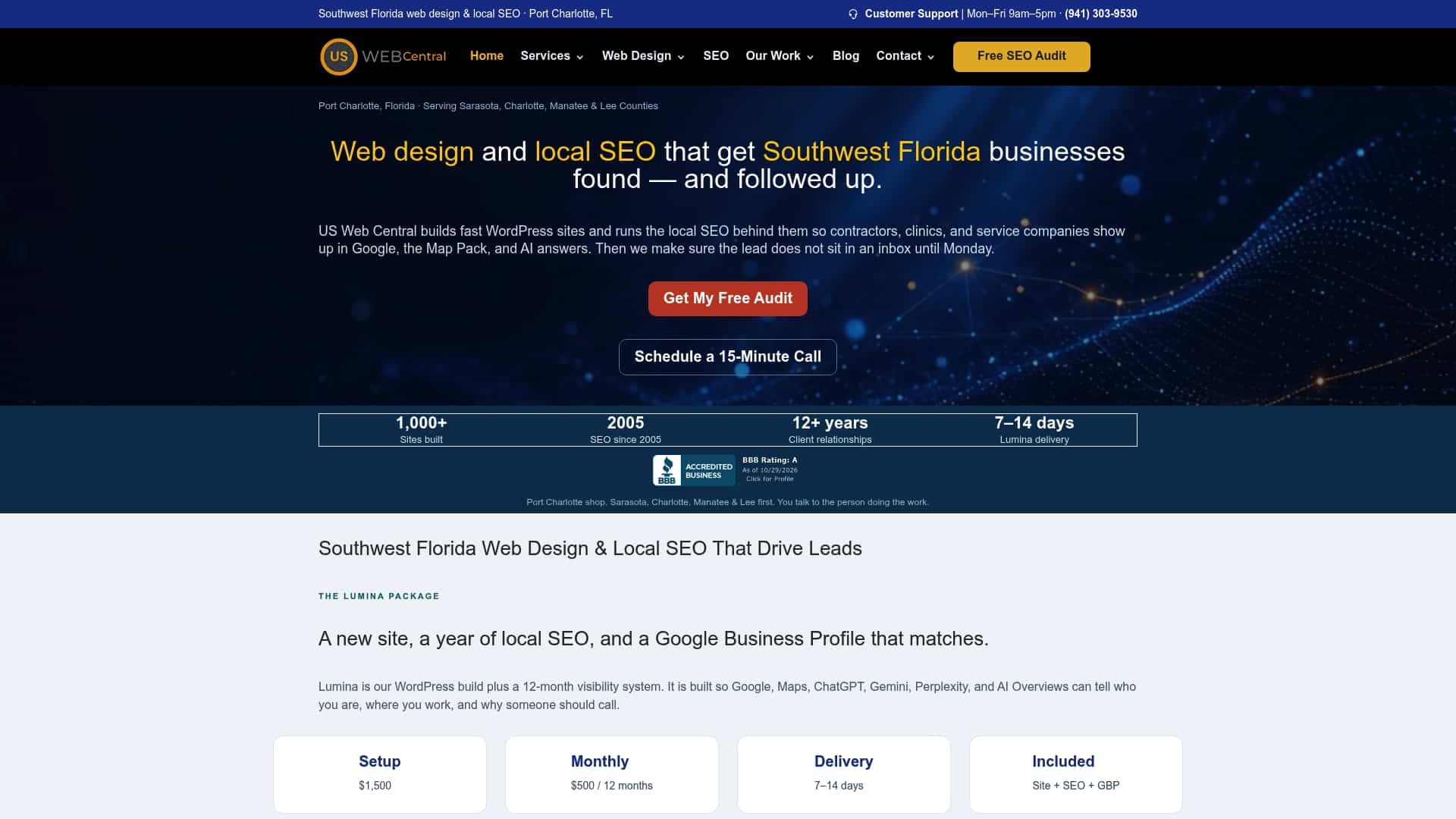
The package includes Google Business Profile setup, citation and NAP consistency work, and monthly AI-ready content. If you want to see what we would change on your current site first, get a free website mockup or learn more about the Lumina AI Local Visibility Websites plan. If your practice is in Port Charlotte or nearby, our Port Charlotte web design page has local details.
If you are comparing providers, our guide on how to choose a web designer in Sarasota lists the questions to ask about leads, not just looks.
A practical launch plan
Whether you build with us or someone else, work in this order:
- Define the patient. Who are you trying to attract, with what conditions, in which cities?
- Map the pages. Services, providers, insurance, locations, forms, contact.
- Write for reading level. Short sentences, familiar words, clear next steps.
- Design mobile first. Check contrast, labels and keyboard navigation as you go.
- Match your Business Profile and listings to the site’s name, address and phone.
- Review privacy tools with your compliance advisor before launch.
- Test with five real people, fix what they stumble on, then publish.
- Schedule updates. Add a review date to clinical pages and revisit them on a calendar.
FAQ
What should a medical clinic website include?
At minimum: services, provider profiles, office location and hours, accepted insurance, patient forms, and a clear way to book or call. Duke Health’s guidance names these same elements. Add a patient portal link if you use one.
How much does a clinic website cost?
Professionally designed medical practice websites can start around $1,500 to $2,000 and exceed $10,000, according to Duke Health’s guidance. Our Lumina package has a $1,500 one-off setup fee and $500 per month for maintenance and SEO, with SEO hosting at $250 per year.
How do I make my clinic website trustworthy?
Use real photos of your team, plain-language content, visible contact details and dated, reviewed clinical pages. Research on web credibility also recommends citing outside references and avoiding intrusive pop-ups.
Does my clinic website need to be accessible?
Yes, as a design goal and a risk-management step. Federal settlements with healthcare-related providers have required conformance with WCAG 2.1 AA, including labeled buttons and adequate color contrast. Ask a healthcare attorney which rules apply to your practice.
How does my website help me show up on Google Maps?
Google ranks local results by relevance, distance and prominence. Your site supports relevance and prominence when its name, address, phone and services match your Business Profile and when it earns links and reviews.
Sources
- Building a Practice Website That Works, Duke Health
- Health Literacy Online, ODPHP
- Chapter 4, Patient Engagement Playbook, HealthIT.gov
- The Web Credibility Project: Guidelines, Stanford
- Trust between patients and health websites: a review
- Strategies to Improve Healthcare Websites, Journal of Medical Internet Research
- Settlement Agreement between the United States and Meijer
- Tips to improve your local ranking on Google, Google Business Profile Help
- Use of Online Tracking Technologies by HIPAA Covered Entities and Business Associates, HHS