

NAP consistency means your business name, address and phone number read exactly the same on your website, your Google Business Profile and every directory that lists you. For a Southwest Florida contractor, clinic or service company, it is the groundwork that lets Google, Maps and AI assistants trust who you are and where you work. This guide shows what counts as a mismatch, how to audit your listings in an afternoon, and how to keep them clean for good.
Key Takeaways
- NAP stands for name, address and phone number. Consistency means one master version of each, used everywhere your business appears online.
- Small differences count: “Suite 4” versus “Ste. 4”, an old tracking number, or “LLC” on one listing and not another can split your business into two records.
- Start with your Google Business Profile and website, then fix the directories, data aggregators and social pages that feed other sites.
- Service-area businesses, such as HVAC, roofing and plumbing companies, need the same care as storefronts, because customers and AI tools compare your details across sources.
- Fix once, then protect: assign one owner, write the master record down, and re-check after any move, rebrand or phone change.
Table of Contents
- What NAP consistency means
- Why it matters more now for local businesses
- What counts as an inconsistency
- Step 1: Write your master NAP record
- Step 2: Audit where you appear
- Step 3: Fix the problems in the right order
- Step 4: Keep it consistent
- How the website ties it together
- A worked example
- How we handle NAP consistency
- Getting it done with us
- FAQ
- Sources
What NAP consistency means
NAP is the shorthand local SEO uses for Name, Address and Phone number. A citation is any online mention of those details, whether or not it links to your site: a directory entry, a chamber of commerce page, a Facebook page, an insurance panel listing or a review site profile.
NAP consistency is simply the match between all of those mentions. If your Port Charlotte office is “Smith Air Conditioning & Heating, LLC, 123 Tamiami Trail, Unit B” on your website, “Smith AC” on one directory and “123 US Hwy 41” on another, search engines have to guess whether these are one business or three.
The reason it matters is trust. Google builds its picture of a local business by comparing what it finds on your Business Profile, your site and the rest of the web. Matching details give it confidence. Conflicting details create doubt, and doubt costs you map visibility. Customers feel it too: a wrong phone number or a dead address on a listing is a lost call.
Why it matters more now for local businesses
Two things have raised the stakes for small businesses in Sarasota, Charlotte and Lee counties.
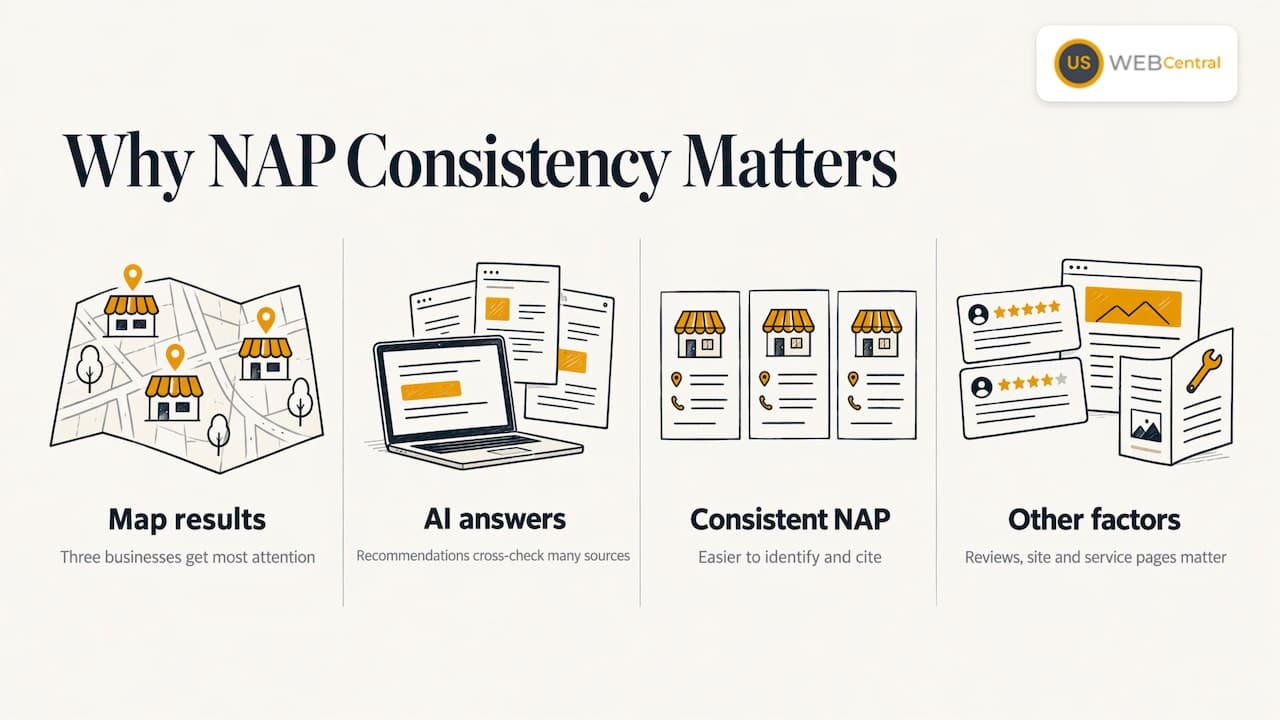
Map results decide many local jobs. When a homeowner in North Port searches for an emergency plumber, the three businesses in the map results get most of the attention. Google’s own guidance tells businesses to represent themselves as they appear in the real world and to make sure the address and service area are accurate and precise, according to the Google Business Profile guidelines. Your listings elsewhere should say the same thing.
AI answers pull from many sources. Tools such as ChatGPT and Google’s AI features assemble recommendations from what they can find and cross-check. A business whose name, phone and address agree across the web is easier to identify and cite than one with three phone numbers and two spellings. We cover that connection in more detail in our guide to local SEO citations and NAP consistency for AI visibility.
NAP consistency is not a trick that lifts you to the top on its own. Reviews, your Business Profile, your website content and your service pages all carry weight. But inconsistent data quietly undermines every one of them, which is why it is the first thing we check.
What counts as an inconsistency
Most owners assume their details are fine because they have never changed. The mismatches usually come from small, ordinary things. These are the ones we see most often in local service businesses:
| Problem | Example | Why it hurts |
|---|---|---|
| Name variations | “Gulf Coast Roofing LLC” vs. “Gulf Coast Roofing” vs. “GC Roofing” | Records may be treated as different businesses |
| Address formatting | “Suite 4” vs. “Ste 4” vs. “#4”; “Street” vs. “St.” | Duplicates and failed matches in data systems |
| Old address | A pre-move office still on a directory | Customers and AI tools send people to the wrong place |
| Multiple phone numbers | Tracking number on one site, main line on another | Splits your call history and confuses matching |
| Keyword stuffing in the name | “Sarasota Best AC Repair Cheap” instead of the real name | Against Google’s guidelines and can trigger suspension |
| Duplicate listings | Two profiles for one location | Reviews and signals get divided |
| Missing suite or unit | Address without the suite on some listings | Fragmented records in multi-tenant buildings |
None of these is dramatic alone. Together they make your business look like several unreliable ones.
Service-area businesses
If you work from home or a shop and travel to customers, as most contractors do, you may not want your address public. Decide that once, then apply it everywhere. Google asks that your address and service area be accurate, and that you keep one profile per business. If your Profile hides the address, do not publish the street address on a directory that then feeds other sites. Pick the approach, write it in your master record and use it consistently.
Your legal name versus your trade name
Many local businesses operate under a name different from their registered one. In Florida, a person or entity doing business under a name other than its own must register that fictitious name (a “DBA”) with the state, under the Fictitious Name Act as described by the Florida Department of State. For listings, the practical rule is to use the name your customers actually know, the one on your trucks, signage and invoices. Google’s guidelines point the same way. Keep your legal entity name for contracts, licensing and tax records, and do not scatter variants of it across public listings.
Step 1: Write your master NAP record
Everything starts with a single reference document. Create a short file that every person in your company can find. It should contain:
- Business name, exactly as it appears on your signage and invoices. Decide once whether “LLC” or “Inc.” appears, and stick to it.
- Address, written one way. Choose “Street” or “St.”, “Suite” or “Ste.”, and use it everywhere. Include the ZIP code and, if applicable, the suite number.
- Primary phone number, a local number with a Southwest Florida area code such as 941 or 239 where you can. This is the number that appears on your website header, Business Profile and every listing.
- Website URL, one version. Pick “https://” with or without “www” and redirect the other.
- Hours and categories, which are not part of NAP strictly but should match across listings.
- Service area list: the cities you actually serve, for example Sarasota, North Port, Venice, Port Charlotte, Punta Gorda and Englewood.
If you use call tracking, keep the tracking number out of the listings that matter most. A common approach is to use your main line as the primary number everywhere and, where tracking is needed, set it as a secondary number on the Business Profile only. Whatever you choose, record it in the master file.
Step 2: Audit where you appear
With the master record in hand, search for your business the way a customer would. You are looking for every place your details appear and every place they differ.
Start with the sources you control
- Your website. Check the header, footer, contact page, and any location pages. The NAP in the footer should match your master record exactly, and your contact page should show it as plain text, not only in an image.
- Your Google Business Profile. Confirm name, address or service area, phone, hours, website and categories. This is the single most important listing for local searches. Our guide to Google Business Profile optimization walks through it field by field.
- Social profiles. Facebook, Instagram, LinkedIn, YouTube and Nextdoor pages often carry an old phone number or address from the day you set them up.
- Email signatures, invoices and estimates. These are not listings, but they are where customers copy your details from.
Then search the open web
- Search your exact business name in quotation marks, then your phone number in quotation marks, then your street address. Each search turns up different stray listings.
- Search your old phone numbers and addresses, and any former business names. These are where the stale data hides.
- Look through the first few pages of results for directories, chamber pages, trade association pages, local news items and review sites.
- Check the main general directories and any industry-specific ones that apply to you: home services, healthcare, legal, real estate or trade licensing boards.
- Search for duplicates on map and navigation apps, which are common after a move or a name change.
Record every listing in a spreadsheet with the URL, the name, address and phone as shown, a note on what is wrong, and whether you have a login. Ten minutes of tidy notes here saves hours later.
How consistent does it have to be?
Strict where it matters, relaxed where it does not. Capitalization and punctuation rarely cause problems on their own. What causes trouble is a different phone number, a different street, a missing suite, a different business name or an old location. Aim for identical, but fix the substantive differences first.
Step 3: Fix the problems in the right order
Not every correction has the same payoff. Work from the most influential listings downward.
- Google Business Profile and your website. These two must agree perfectly before anything else.
- Duplicates. Merge or remove duplicate listings so that reviews and signals consolidate. For a duplicate Google profile, use the tools in the Business Profile dashboard to report it and keep one profile per business.
- Major directories and data providers. Updates here tend to spread to smaller sites over time.
- Industry and local directories. Chamber of commerce pages, trade associations, local business associations and licensing boards.
- Social profiles and everything left.
Expect some friction. Directories require you to claim the listing first, which usually means verifying by phone, postcard or email. Old listings may be tied to an email address nobody at your company uses anymore. Some sites take weeks to display a change. Keep your spreadsheet updated with the date you requested each change and the date you confirmed it.
Common traps
- Fixing the listing but not the source. Some directories re-import data from other sources and overwrite your corrections. If a wrong detail keeps coming back, find where it originates.
- Changing the name “to rank.” Adding service keywords or a city to your name looks tempting but conflicts with Google’s guidance to use your real-world name.
- Moving without a plan. An office move needs a sequence: update the Business Profile and website, then the major listings, then the rest, and then re-audit a month later.
- Forgetting a former owner’s data. If you bought a business, previous names and phone numbers may still be listed.
Step 4: Keep it consistent
The audit is a one-time effort. Staying consistent is a habit.
- Name one owner. One person is responsible for the master record and any changes. Without that, a new hire updates a phone number on one site and forgets the rest.
- Update the master first. Any change, such as a new number, a new suite or an extra service area, goes into the master record before anything else, then out to the listings.
- Re-check quarterly. Search your business name and phone again every three months and scan for new duplicates and odd listings.
- Watch your reviews. Reviews often reveal wrong details: “I went to the old address” or “the number is disconnected” is a sign a listing is stale.
- Protect new pages. Every new location page, landing page or ad destination should pull its NAP from the same master record.
How the website ties it together
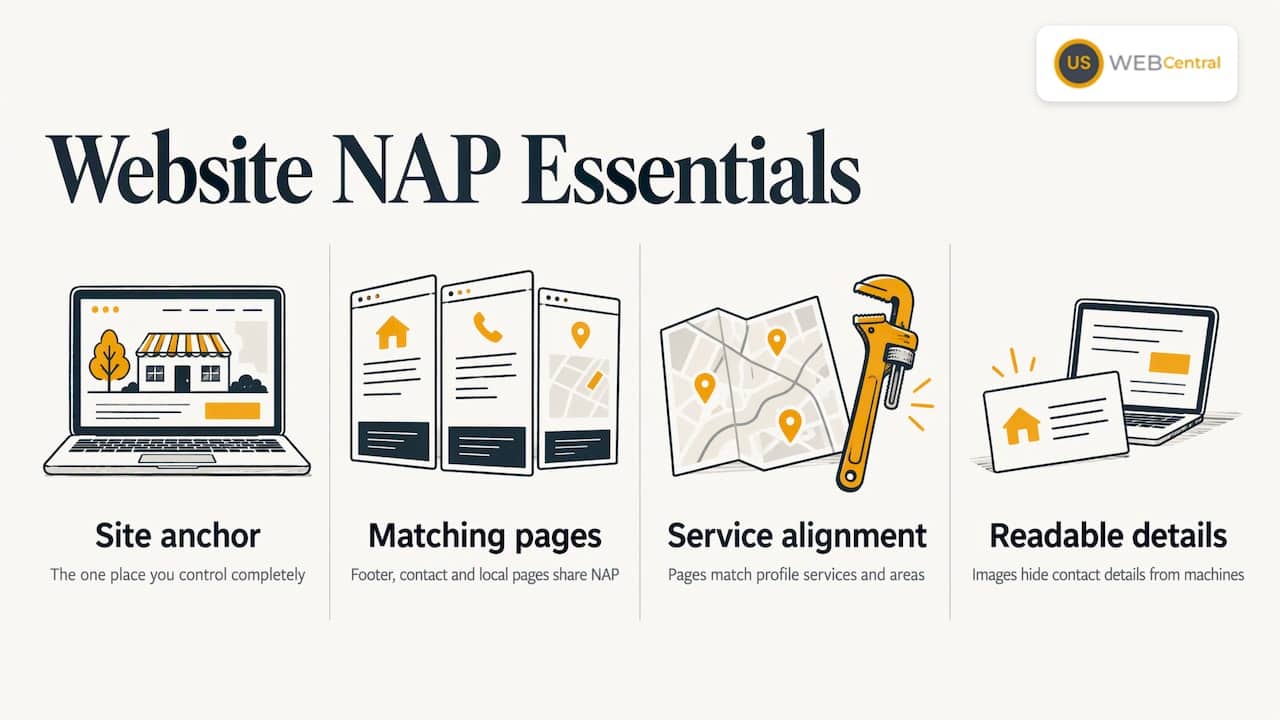
Your website is the one place you control completely, so it anchors everything else. Consistent NAP on your site means the footer, contact page and any local pages all use the same text, ideally the same formatting as the Business Profile. It also means the content on those pages matches the services and areas listed on your profile, so Google sees one coherent business rather than a profile saying one thing and a website saying another.
Speed and structure matter here too. A site that loads slowly or hides its contact details in images makes it harder for people and machines to read your details. Our guide on PageSpeed Insights optimization covers the speed side, and our piece on how E-E-A-T affects SEO performance explains why accurate, verifiable business details are part of looking trustworthy to Google.
A worked example
Imagine a fictional Venice, Florida electrician. On the website the company is “Island Electric LLC,” at “250 Venice Ave W, Suite 2.” The Google profile says “Island Electric,” same address but without the suite. An older directory shows “Island Electrical Services” at a previous address with a number that is now disconnected. A Facebook page lists a cell phone number the owner used four years ago.
The fix, in order:
- Decide the master record: “Island Electric LLC,” “250 Venice Ave W, Suite 2, Venice, FL,” and the office line.
- Update the Business Profile to match, including the suite.
- Claim the old directory entry, correct the name, address and phone, or request removal if it is a duplicate.
- Update Facebook and the other social pages.
- Search the old number and old address to catch anything left, and log each in the spreadsheet.
- Re-check in 30 days.
None of this is difficult. It is tedious, and it needs someone to see it through, which is why it is so often postponed until a business notices its calls have dropped.
How we handle NAP consistency
Citations and NAP consistency are one of the services we offer as part of our local SEO work, alongside Google Business Profile setup, technical audits and website design. When we build a Lumina website, the site, the profile and the listings are planned together so the same name, address and phone appear everywhere from day one.
We see NAP as the first layer of trust you build for a local business, not an afterthought. A new website with a strong design but mismatched listings is working against itself. That is why we match the content on your website to your Google Business Profile and treat citations and NAP as part of the same job as the site, the content and the local SEO plan. For a contractor or clinic in Southwest Florida, that means fewer loose ends and a clearer picture for Google and for AI tools that are deciding which business to name. Our goal is that when someone in Sarasota or Port Charlotte asks for the best provider near them, your details are the easy ones to confirm.
Scott Carvin
Getting it done with us
If you would rather not spend your evenings in a spreadsheet, we can take this on as part of a complete local visibility build. The Lumina package pairs a custom WordPress website with a 12-month local SEO plan, covering your Google Business Profile, citations and NAP consistency, and monthly content. The setup fee is $1,500 one-off, and Monthly Maintenance & SEO is $500 per month. SEO hosting is $250 per year. You can see the full details on our Lumina pricing and availability page.
We have built more than 1,000 sites since 2005, and our team works directly with you on implementation. To see where your listings stand today, start from our citations and NAP page or request a free audit through uswebcentral.com.
FAQ
Is NAP consistency a ranking factor?
Google compares the details it finds about your business across the web to decide how confident it can be in your identity and location. Consistent data supports your Business Profile and website, while conflicting data weakens them. It works alongside reviews, profile completeness and website content rather than on its own, so treat it as the foundation that keeps your other work effective.
How often should I check my listings?
Check once a quarter, and always after a move, a phone change, a rebrand or a change in your service area. A quick search of your business name, phone number and address will show most new problems. Re-audit about a month after any major correction to confirm the changes took hold.
Should my NAP match my legal business name?
Use the name customers know and see on your signage, trucks and invoices, as Google’s guidelines advise. If that differs from your registered entity, Florida requires a registered fictitious name for the trade name you use. Keep your legal name for contracts and tax records, and keep the public name identical across listings.
Do I need a different phone number for each city I serve?
No. One main local number used consistently is the simplest and cleanest approach. If you use call tracking, keep your main number as the primary on listings and record any tracking numbers in your master file so they do not spread to other sites.
What if I find a duplicate listing I cannot claim?
Start by checking whether the listing is tied to an old email or phone number you can still reach. If not, use the directory’s own claim or removal process, and for Google use the Business Profile tools to report the duplicate. If it is taking too long, our team can handle the cleanup as part of a local SEO plan.
Sources
- Guidelines for representing your business on Google, Google Business Profile Help
- Florida Fictitious Name Registration, Florida Department of State